Stop chasing invoices. Get paid.
Your customer opens a link, picks a way to pay, and you’re done following up.
You know the drill. You send the invoice. Then you wait. Then you nudge them. Then they ask you to send it again. Then they want your bank details in a text, or a PayPal link, or “can I just do it on Revolut?”
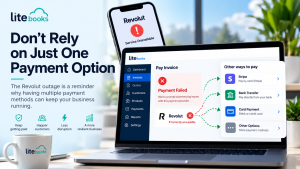
Lite Books puts the payment on the invoice itself. Your customer gets an email with a link, opens it on their phone, and pays how they like, card, Revolut Pay, PayPal, Direct Debit, or a normal bank transfer. You get a receipt trail without the back-and-forth.
And this bit stays free after your trial, same as invoicing. You just connect the payment accounts you already use.
In short:
- Customers pay from a secure link on the invoice, or from their customer portal
- Card payments, Revolut Pay, PayPal, Direct Debit, and bank transfer
- You choose which options to offer on each invoice
- Ask for a deposit before you start the job
- Send a payment receipt when the money is in
- Lite Books doesn’t take a cut of what your customers pay you
How it feels for your customer
They get a proper invoice by email, with a button to view it online. They don’t need a Lite Books account. They pick a payment method, pay, and that’s it. You can also copy a payment link and send it in a text if that’s how they prefer to deal with you.
If they log into the customer portal later, unpaid invoices have a Pay now button there too.
Ways they can pay
Card. Credit or debit card, through Stripe. Familiar, quick, and works well when someone just wants to get it done.
Revolut Pay. Handy if your customer already lives in the Revolut app. They pay without typing card numbers into a form.
PayPal. The usual PayPal checkout on the invoice, useful for the clients who will only pay that way.
Direct Debit. Your customer authorises a mandate once (through GoCardless). Good for people who pay you regularly. It isn’t instant, it usually takes a few working days, which is just how Direct Debit works.




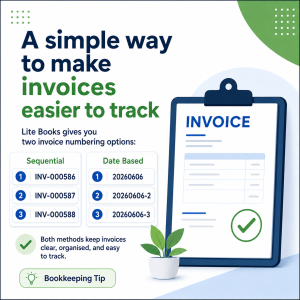
Bank transfer. Some people still like to pay from their own bank app. Show your bank name and IBAN on the invoice, use the invoice number as the reference, and they can tick that they’ve sent it. You confirm it when it lands. There’s no automatic matching to your bank account, you stay in control.
Deposits, bits and pieces, and receipts
Need something up front before you order materials or start the job? Put a deposit on the invoice and they can pay that first.
If a customer pays in stages, you can record a part payment so the invoice shows what’s still due. When it’s paid, you can send a PDF receipt, and they can grab it from their portal as well.
You decide what appears on the invoice
Not every job needs every option. You can switch methods on or off per invoice, so a one-off customer sees card and bank transfer, while a monthly client gets Direct Debit as well. You can also tidy the wording they see, if you want it in your own voice.
We don’t take a slice
When a customer pays an invoice, the money goes to you, through Stripe, PayPal, Revolut, or GoCardless. Lite Books doesn’t skim a percentage. You only pay whatever those providers charge, same as you would anywhere else.
Regular invoices, paid automatically
If you bill the same people every month, recurring invoices can collect by saved card or Direct Debit once the customer has said yes. Recurring invoices are part of the Lite Books subscription. Everyday invoicing and online payments stay free after the trial.
Included in your trial and it stays
Try everything free for 30 days, no card required. When the trial ends, invoicing, quotes, customers, online payments, and reports stay available. Recurring invoices, expenses, projects, and VAT return filing stay available if you subscribe for €9.99 a month (or €99.99 a year), including VAT.
See simple pricing, or create your free account and send an invoice that can actually get paid.