
What we’ve been working on at Lite Books for May 2026
Hi everyone,
Here’s a friendly roundup of improvements we’ve shipped over the past few weeks. We’ve been focused on making tax reporting more reliable, everyday bookkeeping a bit smoother, and fixing a few things that didn’t quite line up between different screens.
Lite Books is now Faster!
If case you haven’t already noticed, the Lite Book app is now much faster and smoother than before.
We took some time to make some upgrades to the servers that run Lite Books. This was long overdue, but we know you will be pleased that the lag some of you were getting, has gone now.
Making VAT and Revenue submissions easier to trust
If you file VAT through ROS, you’ll know how frustrating it is when a return looks wrong for no obvious reason. We’ve tightened up several areas:
VAT returns (VAT3) to ROS
- We now check that your tax registration details are in place before you generate a file, so you’re less likely to hit errors on upload.
- The amounts sent to Revenue now reflect the VAT you owe or can reclaim, not your full sales or purchase totals, which should match what you expect on your return.
- If something still looks off, the VAT screen gives clearer guidance while you’re preparing the period.
Return of Trading Details (RTD)
- There’s a new Return of Trading Details report that lines up with Revenue’s box layout, so you can see where your figures belong before you file.
- You can choose the date range, including a custom start and end, so it follows your VAT accounting year (not only a calendar January – December year).
- You can export the figures to CSV when you need to work on them outside Lite Books.
VAT reminders on your dashboard
- If you mark a VAT period as submitted, it should now drop off your “overdue” warnings, as you’d expect.
Income Tax report (Form 11 help)
- The Income Tax report has been reworked to separate cost of sales from day-to-day running costs, which matches how Form 11 is structured.
- Gross Trading Profits is explained in plain language, with a step-by-step guide for what to enter on ROS, handy when you’re not sure which figure goes where.
Invoices: sort your list and see overdue amounts clearly
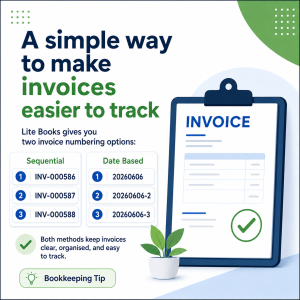
Sort your invoice list
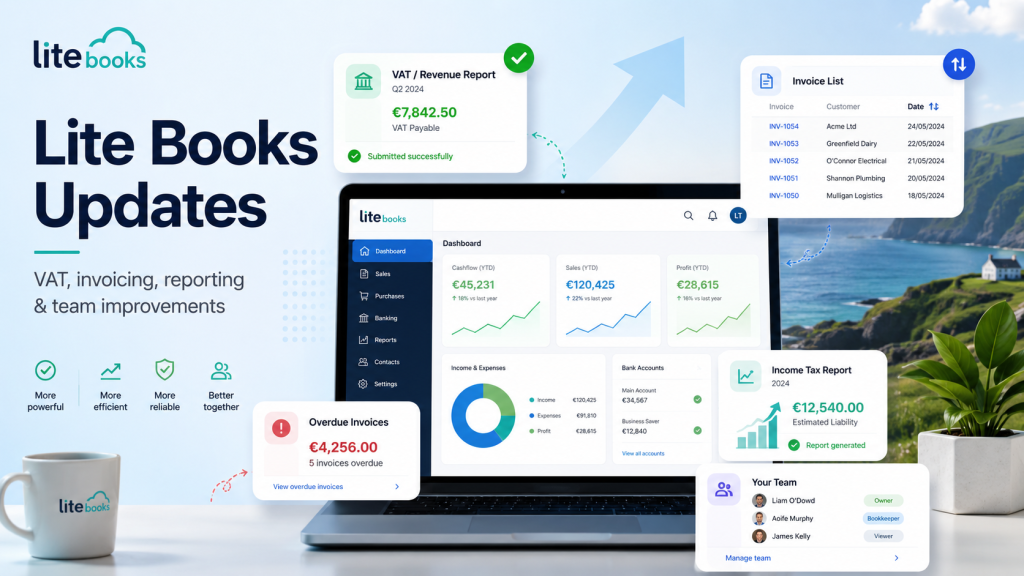
On the Invoices page you can now sort by invoice number, issue date, due date, status, and payment, handy when you’re chasing money or reviewing what’s still open.
Overdue invoices that match everywhere
The number of overdue invoices on your dashboard now uses the same rules as the Invoices page (including partly paid invoices that are past their due date). Click the overdue figure on the dashboard to jump straight to those invoices.
Team members and your plan
Some of you saw “1 team member” on the Team page while Billing showed Unlimited users for the same plan. That was confusing, and wrong (we put our hands up, we made that mistake). Team limits now follow what your plan actually says, so if your plan includes unlimited users, you can invite colleagues, accountants, or anyone you need on your team without hitting a false limit.
Thank you
We’re always improving Lite Books based on what you tell us. If something doesn’t look right to you, or you have an idea for what we should tackle next, we’d love to hear from you.
The Lite Books team